Oct 2022

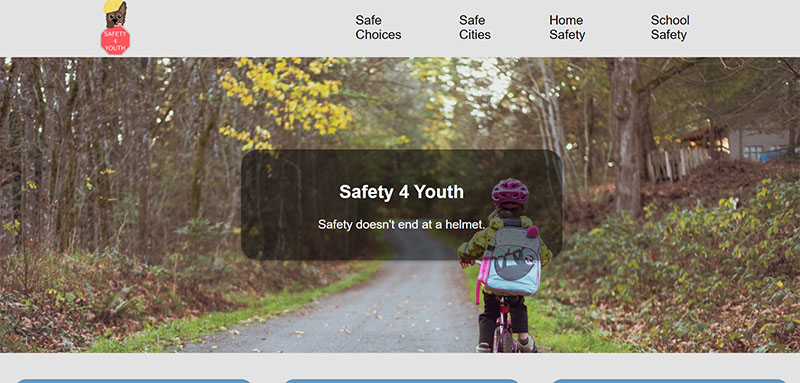
Safety4Youth was one of the first projects I created at the beginning of this school year. Along with a partner, we decided to join the Trauma Center Association of America’s National Injury Prevention Day Media Contest. The goal of the contest was to create media to educate people on the importance of staying safe and preventing injuries in a variety of environments. Consequently, we had to investigate online sources about how to make safe choices for ourselves and others. I also had to research safety drills and the hidden dangers in homes for children, such as accessible medications or unprotected electronic sockets. Using the information we compiled, my partner and I collaborated to write our website’s information as a mixture of our research. Together, we also used GitHub, Visual Studio Code, Netlify, Figma, and Procreate to create the final draft seen below. Thanks to our work on Safety4Youth, we gained proficiency in HTML and CSS, as well as a hint of JavaScript. The biggest challenge that I encountered was mastering Flexbox and remembering to add alt text for every image. Fortunately, this gave me the experience necessary to discover a better understanding of those concepts.
Jan 2023
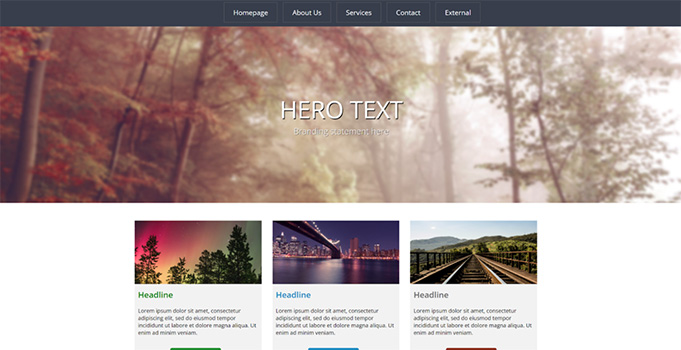
In order to learn and improve our use of Flexbox, we completed multiple “Interneting is Hard” lessons and were encouraged to use the site as a resource for this “Web Layout” project. The goal was to practice our knowledge by completing a website layout for a fictional client that desired a specific design. Since we only needed to create the design, I only needed to use GitHub, Google Fonts, and Visual Studio Code as my resources. Because the project was supposed to be as similar as possible, I investigated how web developers import online fonts into their code. Consequently, I was able to easily add the font seen on the client’s design to the webpage. We also had to utilize Flexbox, image scales, and divs to properly replicate it. In fact, the biggest challenge I faced was properly centering my divs and flexboxes. Sometimes my code would leave the layout broken, so I would have to take initiative by notifying my teacher and asking how I can fix my error. I felt that if I did not take initiative, I would have been stuck on my issue and lost a lot of valuable time that I could have spent working on the project.
Feb 2023
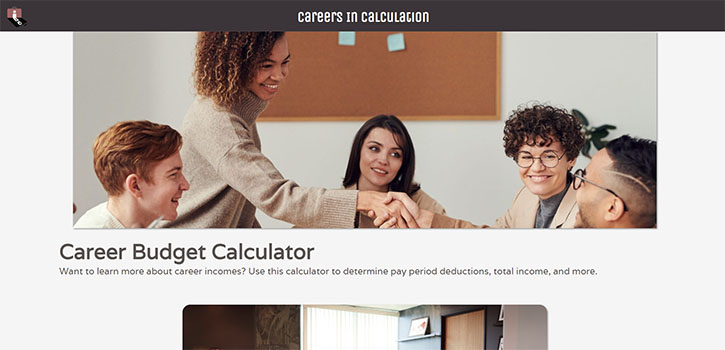
After finishing Meta’s Javascript Coursera class, we were assigned to create a budget calculator website inspired by Educational Employees Credit Union’s financial presentation. Thus, the main applications I used to build Careers in Calculation consisted of GitHub, Visual Studio Code, Netlify, and Procreate. My biggest challenge during the production of Careers in Calculation was the Javascript itself, as I found myself still struggling with creating the right components to finish the last part: the interactive calculator. Nonetheless, I persisted by continuing to try writing different functions and variables again and again. Fortunately, I managed to create a dropdown menu with career choices that automatically filled in and performed calculations for one’s yearly salary, gross monthly income, and more with the help of my peers. For instance, when I encountered major errors, I would ask for help and collaborate with them to understand what was wrong with my code and how I needed to correct it for proper functioning. As a result, I was able to gain more experience in the programming language and become more skilled in using it.
Mar 2023
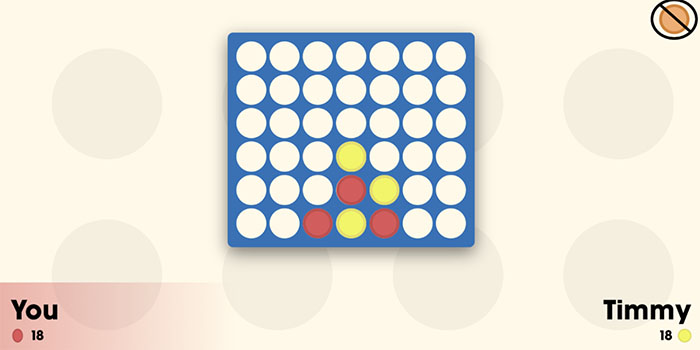
Connect 4 Minus 1 was the last group project for this school year. My class was told to pick a board game we enjoyed and program a digital version of it, along with our own original twist. Working with two of my classmates, we had to communicate about all of the games and ideas we had in mind. After weighing the pros and cons of each, we decided on creating “Connect 4” with the twist being that the users can “subtract”, or take away, one of their opponent’s pieces per round. Afterwards, we began assigning different tasks and responsibilities to everyone to begin the website. We used a variety of resources, such as Visual Studio Code, GitHub, Live Share, Netlify, and Math is Fun’s own online Connect 4. During this process, I learned a lot of Javascript concepts that were previously complex to me, such as onClick, mousemove, onHover, etc. I also learned how to use keyframes, as seen in the background of the site. Unfortunately, this led to my biggest issue of encountering an error where the keyframes would freeze for three seconds. This would leave the background blank and visually unappealing. After reflecting on my code and previous concepts I knew about CSS, I tried rewriting my code and eventually received assistance from one of my teammates to fix it. Overall, the project was a success.